
Soundboard+: das Soundboard für Bühne und Stream
Eigene Sounds importieren, in farbigen Boards organisieren und mit einem Tipp abspielen, auch mehrere gleichzeitig. Mit Zuschneiden, Fade, Loop, Solo und Automationen für feste Abläufe. Unterstützt externe MIDI-Controller.
Kostenlos
- 1 Board mit bis zu 6 Sounds
- alle Audio-Werkzeuge: Zuschneiden, Fade, Loop, Solo
Soundboard Pro
- bis zu 10 Boards, bis zu 30 Sounds pro Board
- Automationen für feste Abläufe über mehrere Boards
Als Monatsabo, Jahresabo oder einmaliger Lifetime-Kauf (Preis im App Store, Abwicklung über Apple).
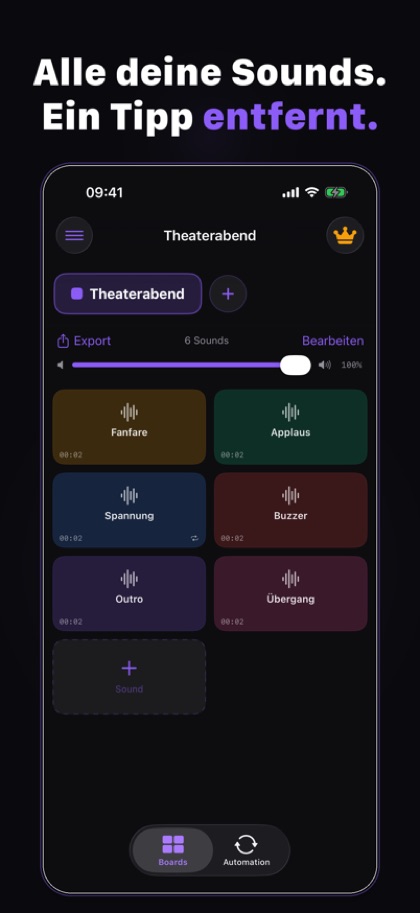
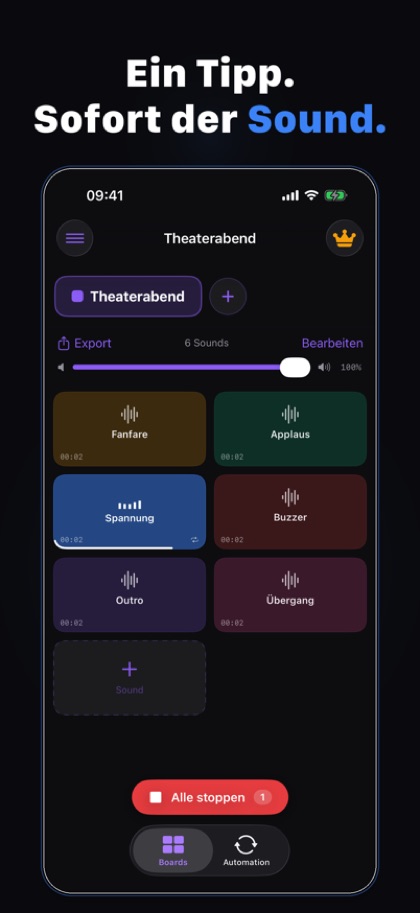
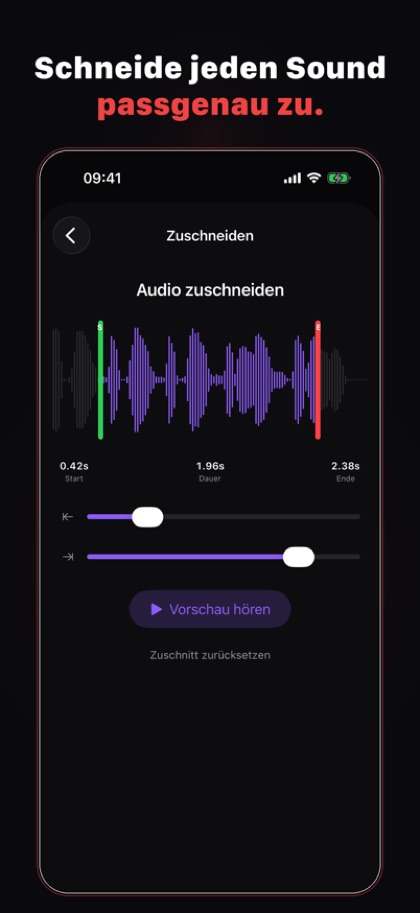
Vom Audio-Import zum fertigen Board für die Show
Boards und Sounds
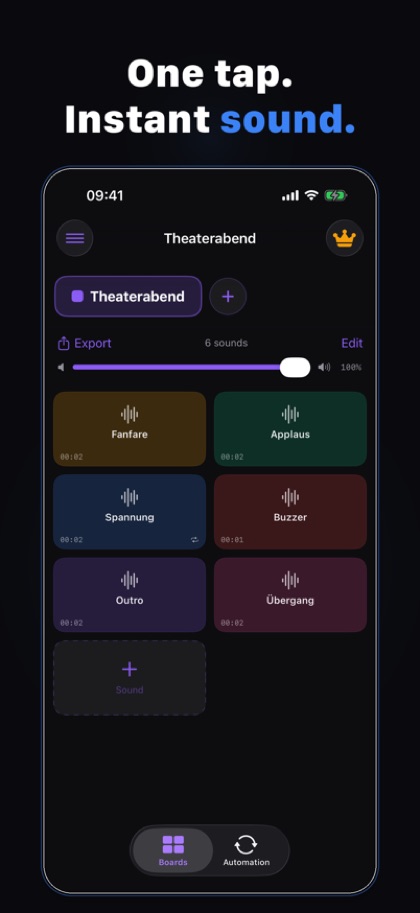
Jedes Board hat einen eigenen Namen, eine eigene Farbe und eine eigene Lautstärke. Sounds per Drag & Drop neu anordnen, mehrere gleichzeitig abspielen.
Zuschneiden und Fade
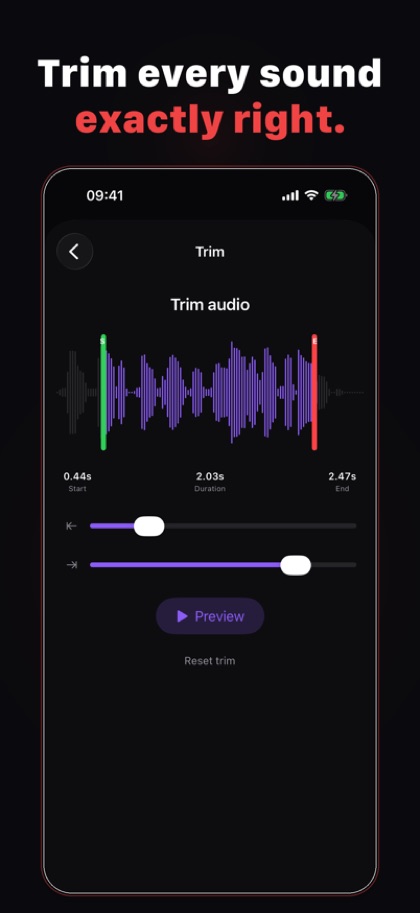
Start- und Endpunkt per Wellenform-Ansicht festlegen, mit Vorschau. Ein- und Ausblenden mit einstellbarer Dauer.
Loop und Solo
Endlosschleife für Hintergrund-Sounds, Solo stoppt beim Start automatisch alle anderen laufenden Sounds.
Import
Audio-Dateien aus der Dateien-App, iCloud Drive oder lokalem Speicher importieren. Unterstützte Formate: MP3, WAV, AIFF, M4A und FLAC.
Automationen (Premium)
Feste Abfolge von Sounds über mehrere Boards hinweg, mit einstellbaren Pausen, ideal für Shows mit festem Ablauf.
MIDI und Export
Eingehende MIDI-Noten können Sounds auslösen. Boards lassen sich als Datei exportieren und auf einem anderen Gerät wieder importieren. Wiedergabe läuft im Hintergrund weiter.
Soundboard+, Kosten und Datenschutz
Was kostet die App?
Die kostenlose Version umfasst 1 Board mit bis zu 6 Sounds, inklusive aller Audio-Werkzeuge. Soundboard Pro schaltet bis zu 10 Boards, bis zu 30 Sounds pro Board und Automationen frei, als Monatsabo, Jahresabo oder einmaligen Lifetime-Kauf.
Welche Audioformate unterstützt die App?
MP3, WAV, AIFF, M4A und FLAC, importiert aus der Dateien-App, iCloud Drive oder lokalem Speicher.
Welche Daten verarbeitet die App?
Kein Konto, kein eigener Server. Deine importierten Audiodateien und Boards bleiben auf dem Gerät. Firebase Analytics wird nur mit deiner ausdrücklichen Einwilligung genutzt. Einzelheiten stehen in der Datenschutzerklärung zur App.
Gibt es die App auch für Android?
Die Android-Version ist in Vorbereitung und noch nicht bei Google Play erhältlich, ein Termin steht noch nicht fest. Sobald sie erscheint, ergänze ich hier den Link zu Google Play.
Wo bekomme ich Hilfe?
Auf der Hilfe- und Kontaktseite stehen die vollständige Bedienungsanleitung, der direkte Kontakt und ein Formular mit App-Auswahl.
Herausgeber der App: MKMC | marketing & consulting, Matthias Grevelding Kiesche (siehe Impressum).
Soundboard+: the soundboard for stage and stream
Import your own sounds, organize them into color-coded boards and play them with one tap, several at once. With trim, fade, loop, solo and automations for fixed sequences. Supports external MIDI controllers.
Free
- 1 board with up to 6 sounds
- all audio tools: trim, fade, loop, solo
Soundboard Pro
- up to 10 boards, up to 30 sounds per board
- Automations for fixed sequences across boards
As a monthly subscription, yearly subscription or one-time lifetime purchase (price on the App Store, handled by Apple).
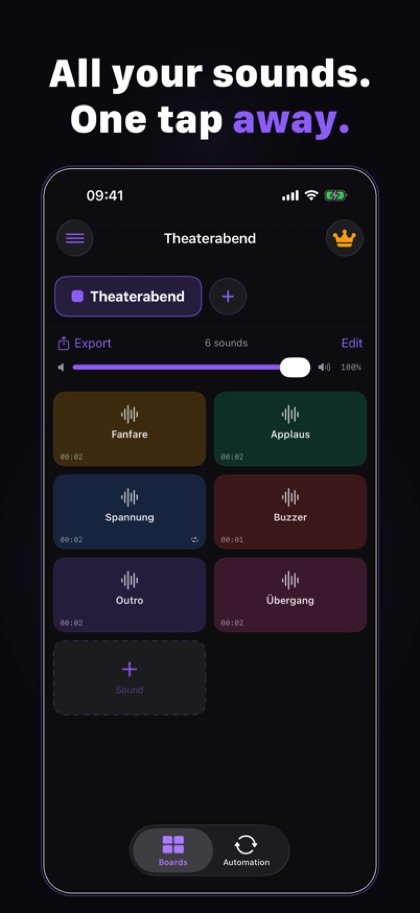
From audio import to a board ready for the show
Boards and sounds
Each board has its own name, color and volume. Reorder sounds by drag and drop, play several at once.
Trim and fade
Set the start and end point on a waveform view, with preview. Fade in and out with an adjustable duration.
Loop and solo
Endless looping for background sounds; solo automatically stops every other playing sound when it starts.
Import
Import audio files from the Files app, iCloud Drive or local storage. Supported formats: MP3, WAV, AIFF, M4A and FLAC.
Automations (Premium)
A fixed sequence of sounds across multiple boards, with adjustable pauses, ideal for shows with a fixed run of cues.
MIDI and export
Incoming MIDI notes can trigger sounds. Boards can be exported as a file and imported again on another device. Playback keeps running in the background.
Soundboard+, price and privacy
How much does it cost?
The free version includes 1 board with up to 6 sounds, including all audio tools. Soundboard Pro unlocks up to 10 boards, up to 30 sounds per board and Automations, as a monthly subscription, yearly subscription or one-time lifetime purchase.
Which audio formats are supported?
MP3, WAV, AIFF, M4A and FLAC, imported from the Files app, iCloud Drive or local storage.
What data does it process?
No account, no server of our own. Your imported audio files and boards stay on your device. Firebase Analytics is used only with your explicit consent. Details are in the privacy policy for the app.
Is there an Android version?
The Android version is in preparation and not yet available on Google Play, and no date has been set yet. As soon as it is released, the link to Google Play will be added here.
Where do I get help?
The help and contact page has the full how-to guide, the direct contact and a form with an app selector.
Publisher of the app: MKMC | marketing & consulting, Matthias Grevelding Kiesche (see the Impressum).