
Shotclock 24 Pro: die Shotclock für Basketball
Ein Tipp startet die 24 Sekunden, ein lauter Signalton beendet den Angriff. Große LED-Ziffern, immer mit Zehntelsekunden, für Freizeitspiele, Training, Schulsport und Ligen vor Ort. Für Spieler, Trainer, Schiedsrichter und das Kampfgericht.
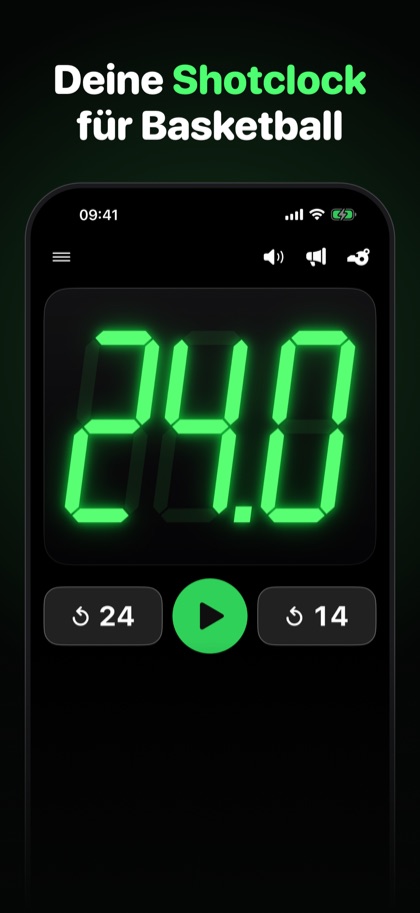
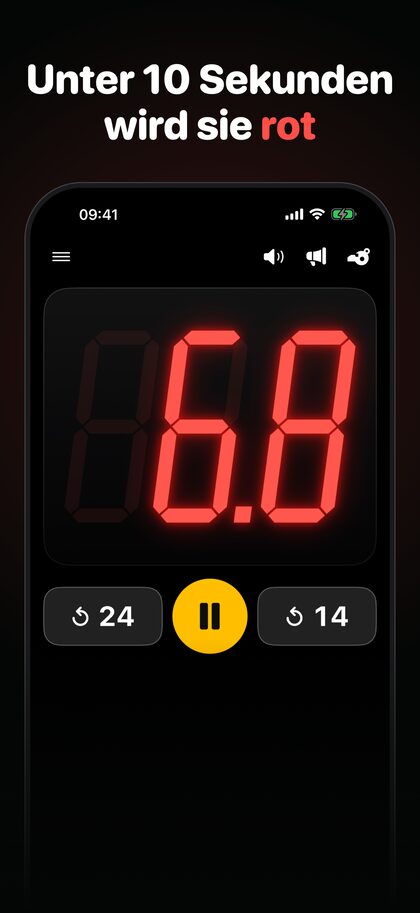
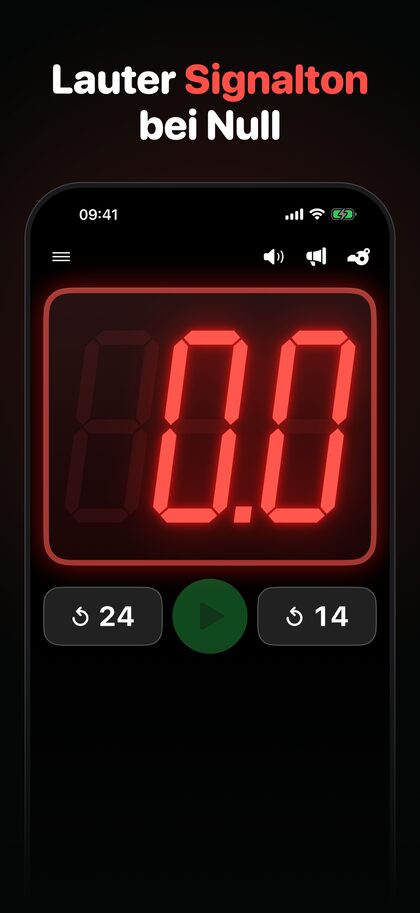
Eine Shotclock, die bereit ist, wenn das Spiel beginnt
Ablesbar aus der Entfernung
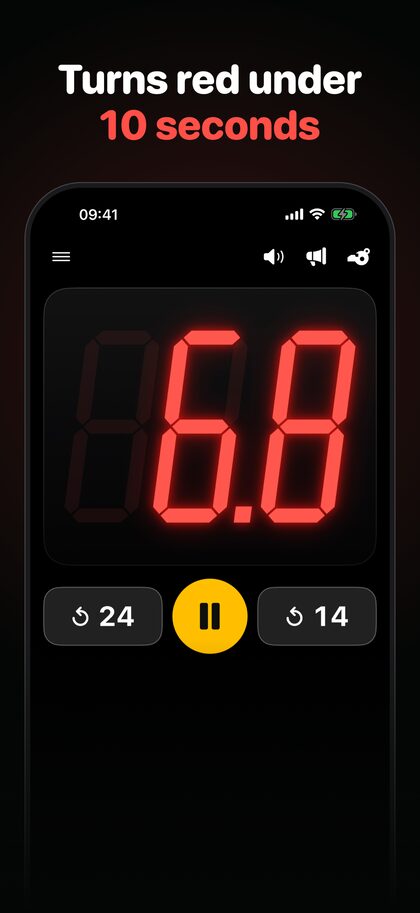
Große LED-Ziffern mit Zehntelsekunden: grün bis 10 Sekunden, darunter rot. Dunkle Anzeigetafel-Optik, auf iPhone und iPad.
Ein Tipp genügt
Anzeige antippen zum Starten, Pausieren und Fortsetzen. Kein Menü, kein Konto, keine Einrichtung.
24 oder 14 Sekunden
Zwei Reset-Tasten laden Hauptdauer und Zweitdauer mit einem Tipp, für einen neuen Angriff oder einen Offensivrebound.
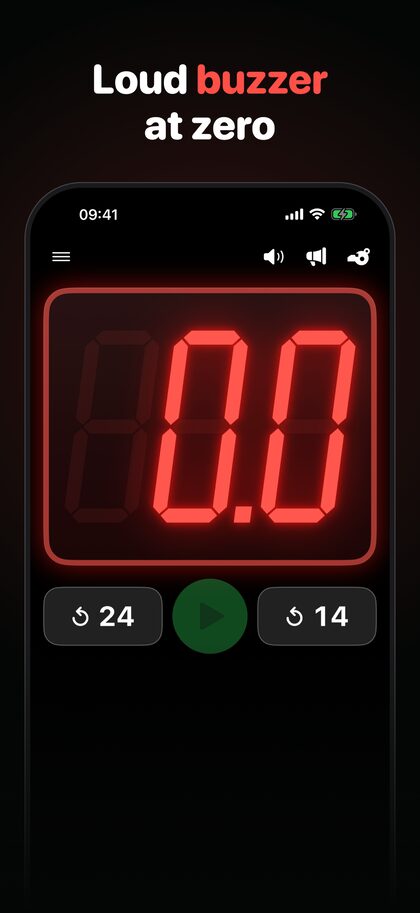
Lauter Signalton bei Null
Der Signalton ertönt am Ende der Zeit. Fünf eingebaute Töne, ein Signaltontest und eine Stummschalt-Taste.
Eigene Zeiten
Hauptdauer und Zweitdauer auf Sekunden und Zehntel genau einstellen, passend zur Regel deiner Liga.
Ohne Anmeldung
Kostenlos nutzbar. Ein kleines Werbebanner finanziert die App, ein einmaliger In-App-Kauf entfernt es dauerhaft. Kein Konto, kein Abo.
Shotclock, Kosten und Datenschutz
Was ist eine Shotclock?
Die Shotclock (auch Wurfuhr oder Angriffsuhr) begrenzt im Basketball die Zeit eines Angriffs: 24 Sekunden, nach bestimmten Situationen wird auf 14 Sekunden zurückgesetzt. Welche Regeln in deiner Liga gelten, legt die Liga fest; die App lässt beide Zeiten frei einstellen.
Was kostet die App?
Nichts. Ein kleines Werbebanner finanziert die App. Ein einmaliger In-App-Kauf („Werbung entfernen“) blendet es dauerhaft aus. Es gibt kein Abo und kein Konto.
Welche Daten verarbeitet die App?
Kein Konto, kein eigener Server: Deine Einstellungen bleiben auf dem Gerät. Die Werbung stammt von Google AdMob, dabei kann Google Daten wie die IP-Adresse und Gerätekennungen verarbeiten. Personalisierte Werbung nutzt die Werbe-ID nur mit deiner Erlaubnis; ohne sie bleibt die Werbung, ist aber weniger personalisiert. Einzelheiten stehen in der Datenschutzerklärung zur App.
Wo bekomme ich Hilfe?
Auf der Support-Seite stehen Bedienung, Kontakt und Hinweise für Fehlermeldungen.
Herausgeber der App: MKMC | marketing & consulting, Matthias Grevelding Kiesche (siehe Impressum).
Shotclock 24 Pro: the basketball shot clock
One tap starts the 24 seconds, and a loud buzzer ends the possession. Big LED-style digits, always with tenths of a second, for pickup games, practice, school sport and local leagues. Made for players, coaches, referees and timekeepers.
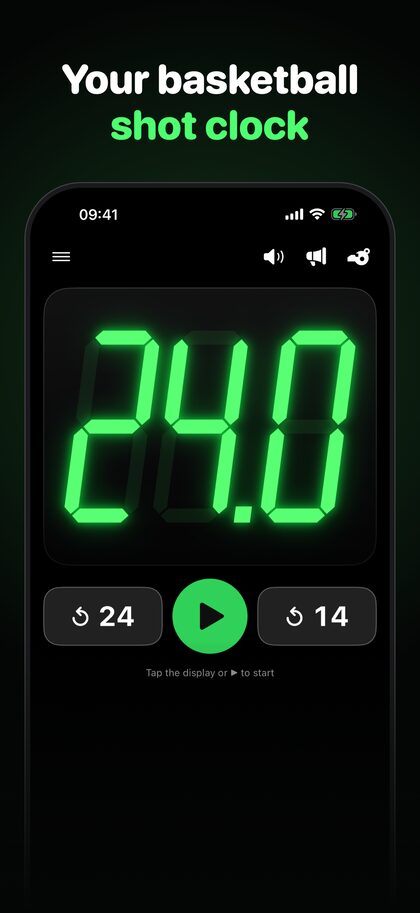
A shot clock that is ready when the game is
Easy to read from a distance
Big LED-style digits with tenths of a second: green until 10 seconds, red below. Dark scoreboard look, on iPhone and iPad.
One tap is enough
Tap the display to start, pause and resume. No menu, no account, no setup.
24 or 14 seconds
Two reset buttons load the main and the secondary duration with one tap, for a fresh possession or an offensive rebound.
Loud buzzer at zero
The buzzer sounds when time is up. Five built-in sounds, a buzzer test and a mute button.
Your own durations
Set the main duration and the secondary duration to the exact seconds and tenths your league uses.
No sign-in
Free to use. A small banner ad pays for the app, and a one-time in-app purchase removes it for good. No account, no subscription.
Shot clock, price and privacy
What is a shot clock?
The shot clock limits the time a team has to attempt a shot in basketball: 24 seconds, reset to 14 seconds after certain events. Your league decides which rules apply; the app lets you set both times freely.
How much does it cost?
The app is free. A small banner ad pays for it, and a one-time in-app purchase (“Remove Ads”) removes it for good. No account, no subscription.
What data does it process?
No account and no server of our own: your settings stay on your device. Ads come from Google AdMob, which may process data such as the IP address and device identifiers. Personalized ads use the advertising ID only with your permission; without it you still see ads, just less personalized. Details are in the privacy policy for the app.
Where do I get help?
The support page has the controls, the contact details and what to include in a bug report.
Publisher of the app: MKMC | marketing & consulting, Matthias Grevelding Kiesche (see the Impressum).